Last updated: October 28, 2026
Quick answer: Pick MailerLite if you are a creator, solo founder or small team that wants clean design tools, automation that is not heavily paywalled, and a bill that counts only contacts who can receive your emails. Pick Mailchimp if you rely on its 300+ integrations, want built-in retargeting ads and predictive segmentation, or need the brand nobody gets fired for choosing. Both cut their free plans in 2026.
MailerLite and Mailchimp are usually the first two names a small business shortlists for email marketing, and in 2026, both of them quietly made their entry-level offers worse. Mailchimp cut its free plan to 250 contacts and 500 sends in January. MailerLite restructured its whole pricing in June, trimming its famously generous free tier and renaming its plans to Comfort and Power. So the old comparison posts you’ll find ranking these two? Most of them are out of date. Here’s where things actually stand.
The 30-second verdict
Pick MailerLite if you’re a creator, solo founder, or small team that wants clean design tools, automation that isn’t paywalled into oblivion, and a bill that only counts people who can actually receive your emails. Pick Mailchimp if you’re deep in an ecosystem that depends on its 300+ integrations, you want built-in retargeting ads and predictive segmentation, or your company simply requires the brand nobody gets fired for choosing. For most readers of this site, MailerLite wins on value, but the gap is narrower than the internet’s Mailchimp-bashing suggests, and there are real reasons to pay the Mailchimp premium.
Pricing in 2026: both got stingier
Let’s get the numbers on the table first, because both companies changed them this year and most comparisons online are still quoting 2025 pricing.
| MailerLite | Mailchimp | |
|---|---|---|
| Free plan | 250 subscribers, 2,500 emails/mo, 2 seats | 250 contacts, 500 sends/mo (250/day cap), 1 seat |
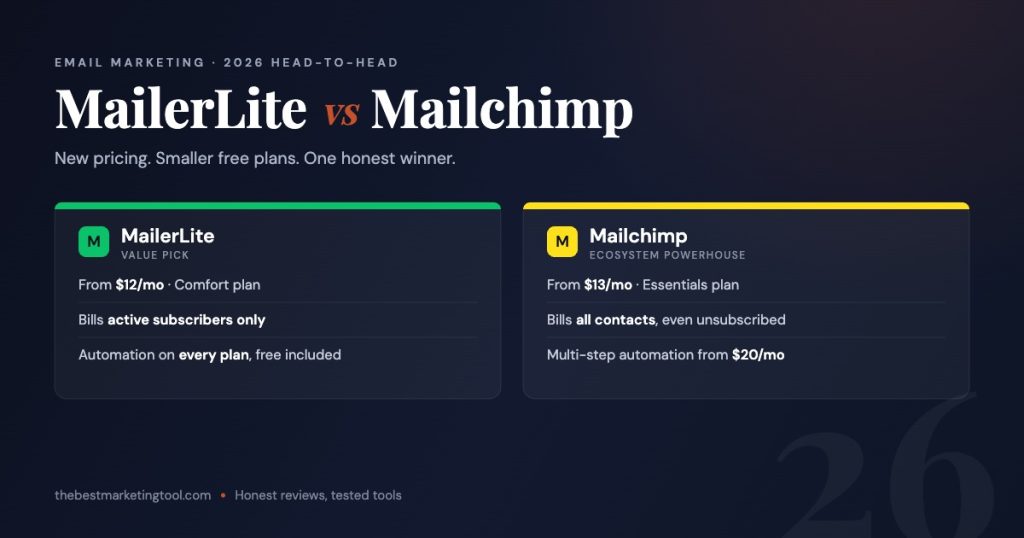
| Entry paid plan | Comfort (from $12/mo) | Essentials (from $13/mo) |
| Mid plan | Power (from $25/mo, unlimited emails) | Standard (from $20/mo, 12× contact send cap) |
| Top plan | Enterprise (custom, 200K+ subs) | Premium (from $350/mo) |
| Multi-step automation | All plans, including Free | Standard and above only |
| Who counts toward your bill | Active subscribers only | All contacts, including unsubscribed |
On paper the entry prices look nearly identical: $12 vs $13. The real cost difference shows up as your list grows, and it comes from a billing detail most people discover on their invoice, not on the pricing page.
The billing gotcha nobody reads until it’s too late
Mailchimp bills you for every contact sitting in your audience: subscribed, unsubscribed, non-subscribed, pending. Someone opts out of your emails? You keep paying for them until you manually archive or delete them. Same person in two audiences? They count twice. MailerLite only bills active subscribers; unsubscribes and bounces drop off your count automatically. Run a list for two years without ruthless hygiene and this single difference can quietly add 20–30% to a Mailchimp bill. It’s the least glamorous line item in this comparison and probably the most financially important one.
Free plans: both are trials now
A year ago the free tier was MailerLite’s knockout punch. Not anymore: its Free plan now caps at 250 subscribers and 2,500 emails a month. Still, compare that with Mailchimp’s free tier: same 250 contacts, but only 500 sends a month with a 250-per-day ceiling, Mailchimp branding on every email, no scheduling, and support that disappears after 30 days. MailerLite’s free plan includes automations, a landing page, a website builder, and all three of its email editors. If you’re starting from zero, MailerLite’s free plan is a genuinely usable starter kit; Mailchimp’s is a demo.
Automation: the real dividing line
This is where we’d tell most people to stop reading and decide. Mailchimp locks multi-step automation (welcome sequences with branching, abandoned-cart flows, post-purchase journeys) behind its Standard plan. On Essentials you get single-step autoresponders and that’s it. If email automation is the reason you’re buying a tool, Mailchimp’s real starting price is $20/mo, not $13.
MailerLite hands you its visual automation builder on every plan, free included. It’s not as deep as Mailchimp’s Standard-tier journeys; Mailchimp’s branching logic, predictive segmentation, and send-time optimization are genuinely more sophisticated once you pay for them. But for the welcome series, lead-magnet delivery, and re-engagement flows that cover 90% of what small senders actually build, MailerLite gives you the tools without the toll booth.
Editors, templates, and everything else
MailerLite’s drag-and-drop editor is the cleanest in this price class, and we covered it in depth in our full MailerLite review, and six months in, it’s still the tool we reach for when we want a newsletter out the door in twenty minutes. You also get a custom HTML editor and a plain-text-style simple editor on every plan. Mailchimp’s editor has improved a lot since the Intuit acquisition and its template library is larger, but plenty of its templates and the custom-coded option sit behind paid tiers.
Beyond email: both platforms bundle landing pages, forms, and basic websites. Mailchimp’s edge is its ecosystem: social ads, retargeting, a massive integration directory, and AI features backed by Intuit’s budget. MailerLite’s edge is coherence: fewer features, but almost nothing is upsell bait, and the ones it has feel like one product rather than a decade of acquisitions.
Deliverability and support
Both are reputable senders and your deliverability will depend far more on your list quality and authentication setup (SPF, DKIM, DMARC) than on which logo is in the corner. On support, the contrast is sharper: MailerLite offers 24/7 email support on paid plans and live chat on Power, while Mailchimp reserves phone support for its $350/mo Premium tier and cuts free users off after 30 days.
Which one should you pick?
- Creators, bloggers, solo founders: MailerLite. Automation on the free plan, cleaner editor, active-subscriber billing.
- Ecommerce stores that live on behavioral flows: Mailchimp Standard, since its predictive segmentation and journey builder are stronger, if you’ll actually use them.
- Small teams on a budget: MailerLite Comfort at $12/mo covers what Mailchimp makes you buy Standard for.
- Agencies and integration-heavy stacks: Mailchimp, because the directory of 300+ integrations still matters when a client’s stack is built around it.
Switching from Mailchimp to MailerLite: the 4-step playbook
- Clean house in Mailchimp first. Archive unsubscribed and inactive contacts before exporting; there’s no reason to migrate people who can’t or won’t receive your emails.
- Import with the built-in Mailchimp importer. MailerLite connects to your Mailchimp account directly and pulls subscribers, groups, and segments, no CSV gymnastics required for most setups.
- Rebuild your automations manually. Flows don’t transfer between platforms. Budget an afternoon to recreate your welcome series and lead-magnet delivery in MailerLite’s builder.
- Authenticate your domain before the first send. Set up SPF, DKIM, and DMARC on MailerLite, then send your first campaign to your most engaged segment to establish sender reputation on the new platform.
FAQ
Is MailerLite cheaper than Mailchimp?
At the entry level they’re within a dollar of each other ($12 vs $13/mo). MailerLite becomes meaningfully cheaper as lists grow because it bills only active subscribers and includes multi-step automation on every plan, while Mailchimp bills all contacts (including unsubscribed ones) and gates automation behind its $20/mo Standard plan.
Did MailerLite change its pricing in 2026?
Yes. In June 2026 MailerLite introduced a new plan structure: Free (250 subscribers, 2,500 emails/mo), Comfort (from $12/mo), Power (from $25/mo with unlimited sending), and a custom Enterprise tier. Legacy Growing Business and Advanced plans keep their old rates until they renew or change plans.
Is Mailchimp’s free plan still worth it?
Barely. Since January 2026 it’s limited to 250 contacts and 500 sends a month with a 250-per-day cap, no scheduling, no multi-step automation, and Mailchimp branding on every email. Treat it as a 30-day product tour rather than a plan you can operate on.
Can I migrate from Mailchimp to MailerLite easily?
Yes. MailerLite has a built-in Mailchimp importer that pulls subscribers, groups, and segments. Export your templates separately, rebuild automations manually (an afternoon’s work for most setups), and re-authenticate your sending domain before your first campaign.
Prices verified July 2026 from both vendors’ official pricing pages. Both companies have changed pricing twice in the past year, so double-check current rates before committing.
Frequently asked questions
Is MailerLite or Mailchimp better in 2026?
MailerLite suits creators, solo founders and small teams wanting clean design and automation that is not paywalled. Mailchimp suits those who depend on its 300+ integrations, retargeting ads and predictive segmentation.
Did Mailchimp and MailerLite change their pricing in 2026?
Yes. Mailchimp cut its free plan to 250 contacts and 500 sends in January, and MailerLite restructured its pricing in June, trimming its free tier and renaming plans to Comfort and Power. Check current pricing.
How do the two compare on automation?
The post calls automation the real dividing line between the two.
Is it hard to switch from Mailchimp to MailerLite?
The post includes a 4-step guide for switching from Mailchimp to MailerLite.
About the author: Michael K runs The Best Marketing Tool and works in marketing operations (MarkOps). He reviews LinkedIn automation, cold email, CRM and AI marketing tools with real pricing and honest tradeoffs.